I turned a Kindle Paperwhite 2 into my own newspaper device
I replaced a jailbroken Kindle Paperwhite 2's stock UI with a small C launcher that draws a newspaper built on a LAN server. The hard part was not the layout — it was keeping the power button alive after stopping the Java framework.
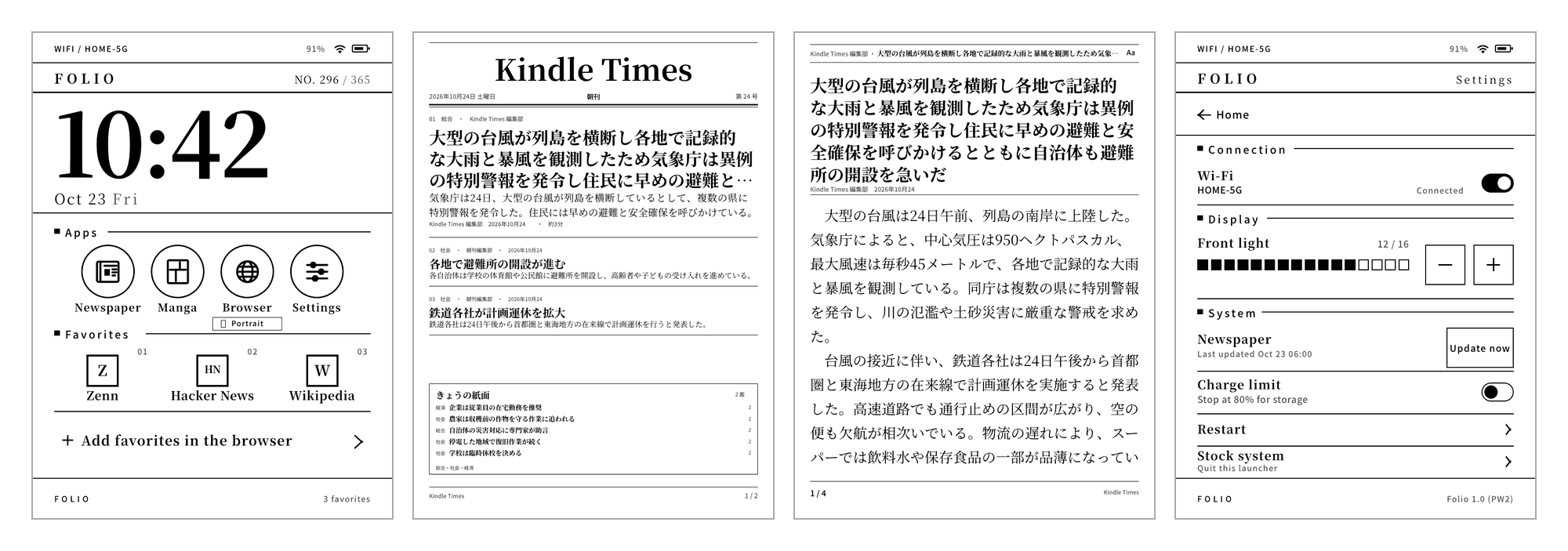
I turned my Kindle Paperwhite 2 into a device that boots into my own home screen, with the paper one tap away. It opens the last edition it downloaded. It is a 6-inch E-Ink panel, 758 × 1024, 16 grays. Too small for comfortable book reading — but of every screen I own, it is the closest thing to paper.
khome replaces the stock UI with a small C launcher. The paper is built on a server on the LAN; the device verifies it, caches it, and lays out the type and rules itself. The code is MIT licensed and public.
What changes
| Before | khome | |
|---|---|---|
| After boot | The stock Library | The khome home screen (clock, Apps, Favorites) |
| News | Browsing sites in the browser | Reading the edition on the device |
| Offline | Nothing to read | The last downloaded edition |
| Back to stock | Always there | Create /mnt/us/khome/disable and reboot |
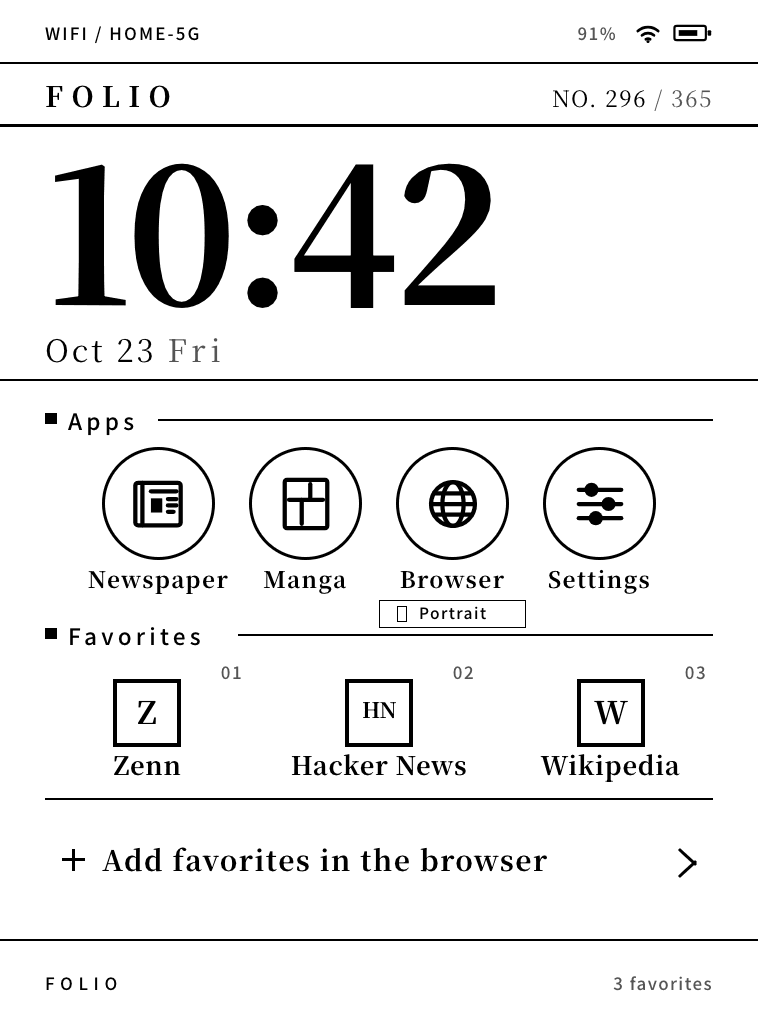
The home screen carries the clock, the date, a day-of-year counter (NO. 296 / 365), an Apps row and Favorites. The launcher still shows the placeholder name FOLIO; the paper’s masthead is Kindle Times.
Why draw it myself
If all I wanted was to read news on E-Ink, an existing viewer should have been enough. For a two-column newspaper page, there was nothing.
- The stock KF8/AZW3 renderer ignores
column-count; two columns only really exist on the Scribe with KFX, in landscape - KOReader (crengine) has no column model — EPUB
column-countdoes nothing - The viewers that do handle two columns target Supernote and Android, and at least this Kindle cannot run them
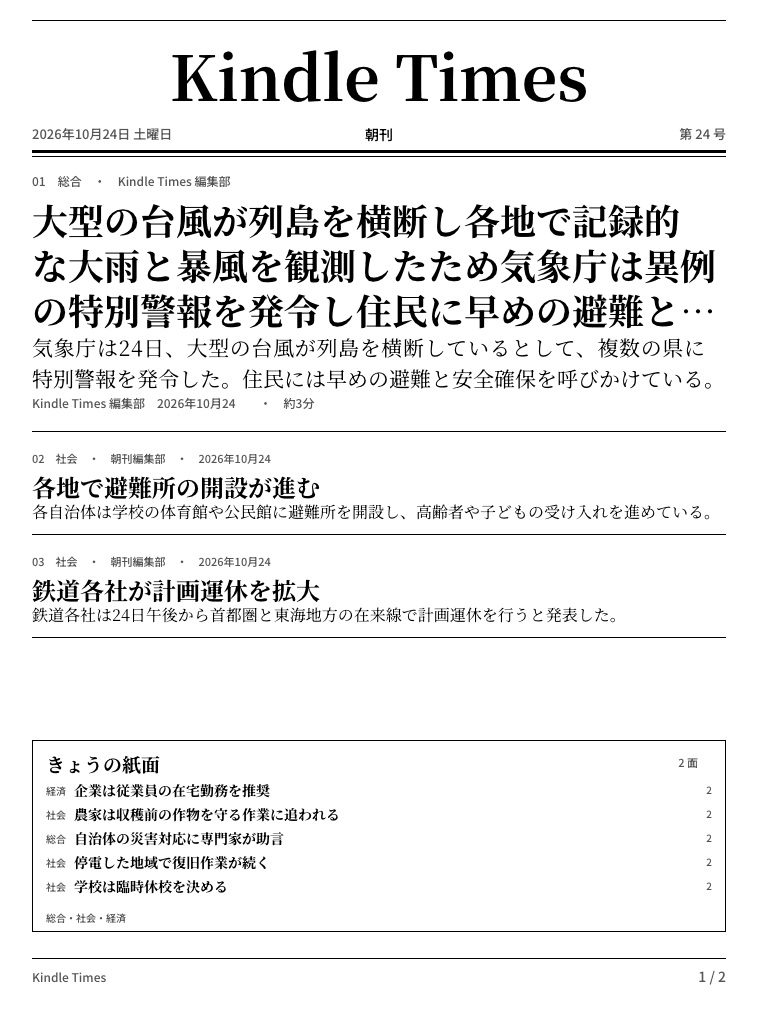
So the layout had to live somewhere I controlled, because there was nowhere else to put it. Instead of shipping page images, the server ships text and the device composes the page. Masthead, rules, headlines and page numbers are all drawn in C.
How it works
On the server, a builder fetches public feeds, extracts article bodies and writes a checksummed text-v1 bundle. RSS is a catalogue, not a newspaper, so the bodies come out of the HTML.
index.tsv— one row per story: id, section, source, published time, character count, headline, leadarticles/<id>.txt— the full bodymanifest.json/SHA256SUMS/latest-text.json— identity and hashes
On the device, fetch.sh downloads latest-text.json, verifies SHA256SUMS and manifest.json, and rotates current to previous only after the whole bundle checks out. A failed fetch leaves the cached edition untouched. khome paints the cache before any network access, so the last edition stays readable offline.
When I opened Newspaper on the device today, it fetched immediately and swapped in 20261026-1802 / 30 stories / 7 pages with exit code 0. There is no scheduler on the device: fetching happens when Newspaper is opened, or when Refresh is run from KUAL. The edition itself is built by server cron at 07:00 and 18:00.
Problem one: stop the stock UI and the power button dies
khome runs with X and the supporting stock services alive but the Java framework (cvm) stopped. cvm also redraws the status-bar clock once a minute, so it has to be stopped while khome owns the screen.
Stop cvm, though, and the power button’s input is thrown away. The device cannot go to sleep. That was the first wall.
Disassembling powerd showed the decision lives in one place. It needs com.lab126.kaf to expose a non-zero frameworkStarted, and com.lab126.blanket’s load string to not contain splash. If either check fails, powerd decides a splash screen is up and throws the power button away. With no cvm, that is exactly the state you are in.
So I wrote a small stand-in that claims com.lab126.kaf and answers frameworkStarted=1 (fakekaf). It can also drop splash from blanket’s load list and send the FrameworkStarted event. On the device, with cvm stopped and fakekaf resident, I cycled the power button three times and all three went to sleep and came back. Wake from deep suspend is still unverified.
The disassembly addresses and the instructions behind each conclusion are all in docs/spikes/fakekaf.md. The addresses and conditions were read off the device binary. Some configuration values are inferred, and the notes say so.
Problem two: a full-screen browser without cvm
The browser hits the same wall. Without cvm there is no com.lab126.chromebar, so pillow never creates its titleBar (41 px) or searchBar (75 px) windows. The browser opens at 758 × 1024+0+0 (with topOffset inferred to be 0), and config.xml is never touched.
The boot splash is the other half. blanket unload splash is enough to clear the white screen so the browser renders on top of it.
Rotation was the genuinely awkward part. On this firmware, winmgr’s orientation is read-only, and orientationLock does not rotate a window that lacks _O:. The browser’s orientation lives in its own localStorage — a row keyed settings in SQLite’s ItemTable.
So the toggle on the home screen does this:
- Stop the browser if it is running (WebKit holds the settings in memory)
- Read the
settingsrow and keep the current value ashex() - Replace only
$.orientationwithlandscapeLeftorautoviajson_set - Read it back; if it is not what was intended, restore the hex value verbatim
While the device is landscape, the sheet is disabled and a pull from the screen edge returns straight home. Portrait is confirmed by re-reading the framebuffer dimensions before drawing. All of this, including the failed attempts and the recovery steps, is written up in docs/adr/0001-....
Drawing the paper in C
Rendering is an 8-bit 758 × 1024 canvas. Text comes from stb_truetype, rules are rectangles and lines, icons are pre-rendered PNGs. The finished canvas is blitted to /dev/fb0 and FBInk is asked for a GC16 or GL16 refresh.
With 16 grays, there are two grays at most and no shadows, blur, gradients or transparency. Only the clock, which changes every minute, gets a partial refresh of a single rectangle. E-Ink flashes on a full refresh, so the trick is to keep moving things inside a small box.
The design was mocked up in HTML as three directions first, then cut down to what C could reproduce. In exchange, the tests pin the rendering:
- Within 1.2% differing pixels of the design mocks, with no connected difference larger than 1,200 px
- Pixel-identical to the device goldens
- 8-bit output using only the 16 tones (0, 17, …, 255)
An unintended visual change is caught there.
Numbers
| Part | Size |
|---|---|
| Device rendering and input (C, headers included) | 15,076 lines |
| Device tests (C / Python / shell) | 11,439 lines |
Everything under scripts/ (extraction, serving, dev tools) |
3,976 lines |
| PNGs in the repo (goldens, mocks, icons) | 78 |
There is no Python on the device. Fetching and extraction are the server’s job; the device draws, reads taps, and talks to powerd and wifid over lipc. That split keeps Python and network work off the device entirely.
Closing
A 6-inch E-Ink panel wants nothing to do with notifications or video. It is a screen for reading, which makes it a good newspaper. But replacing the stock UI means stumbling over things like the power button and the browser, and most of this project was checking each of those on the real device and closing it out.
Now when I pick it up, the khome home screen is there, and Newspaper opens the last edition it fetched. Turn the page, tap a headline, read the body. That is all it does — and the first few minutes of the morning are better for it.
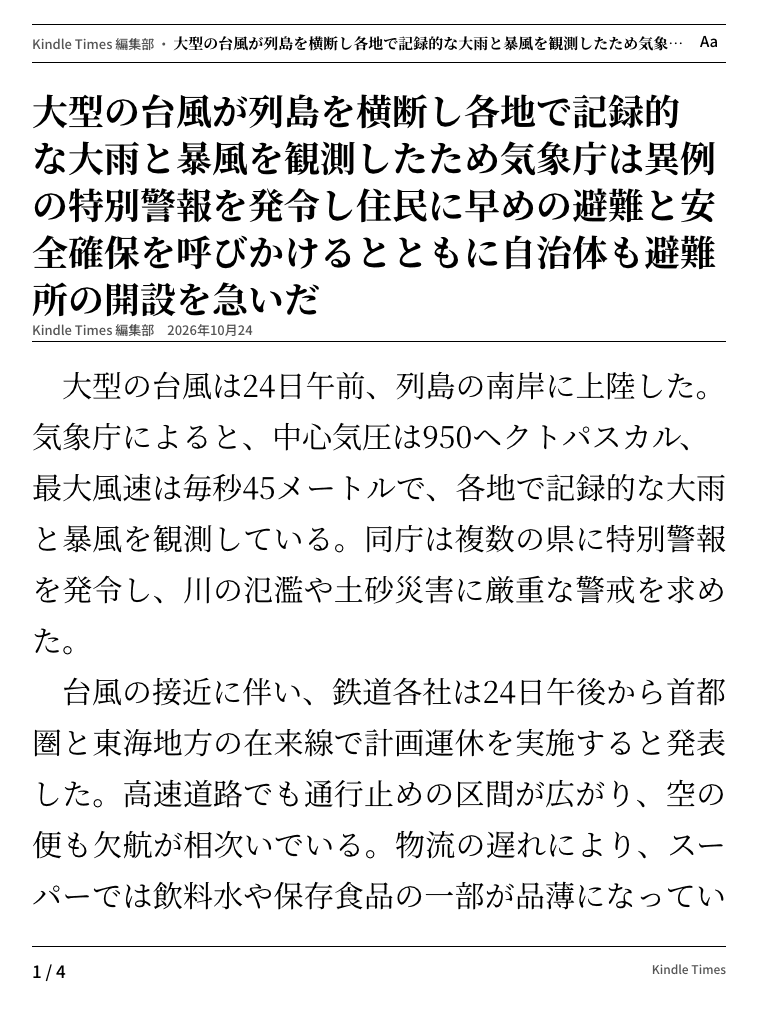
The screenshots in this post are rendered from a fictional test edition (a typhoon issue), not from live feeds. The edition on the device is real news, so it is not republished here. The Wi-Fi name is likewise a placeholder, HOME-5G.
Jailbreaking and replacing the system UI can brick a device. Do not try this on hardware you are not prepared to recover. The stock Library comes back when you put /mnt/us/khome/disable there over USB or SSH and reboot.